Free to preview · £5 a logo · No card to try

Turn any PNG into
an embroidery file

Drop your logo in and Embify digitizes it into real stitches, with a true sew-out preview so you know it'll stitch properly before you pay a penny. No software to install, no waiting on a digitizer, and £5 a logo instead of a £30 digitizing bill.

Free preview · No card needed · Pay £5 only when you download · See how it works

Run a workwear or embroidery shop? Digitize customer logos in-house and quote the same day →

✓ Preview free, no card ✓ £5 a logo, no subscription ⚡ Files ready in seconds 🧵 PES · DST · JEF · EXP · XXX · VP3 ☁️ Nothing to install 🛡️ 14-day money-back guarantee on plans
6+
Export Formats Supported
SVG
Vector in · PNG/JPG traced to SVG
<5s
Average Conversion Time
100%
Browser-Based, No Install

Already have an account?

Jump straight into the converter. Your files are ready to go.

🧵 Open Converter →

Everything you need to digitize

Built for embroiderers, workwear shops, and hobbyists who just want results fast.

🗂️

Export to Any Machine Format

Download your finished design in every major embroidery format, ready to drop on a USB and stitch. Each file carries the correct thread sequence, colour stops and trims for your machine.

.PES .DST .JEF .EXP .XXX .VP3
🪡

Smart Auto-Digitizing

Upload a vector SVG, or trace a PNG/JPG to SVG with the built-in tool, sized for left chest, back, cap and sleeve. The engine turns it into real stitches, automatically choosing satin for strokes and tatami fill for solid areas, with crisp edges and no loose thread.

🎨

Thread Colour Detection & Brand Matching

Every colour in your artwork is detected, split into its own thread group and sewn colour by colour, so the machine changes thread cleanly. In the classic converter, pick your thread brand and Embify suggests the nearest spool for each colour from Madeira Polyneon 40, Isacord 40, Gunold Poly 40, Robison-Anton Super Brite Poly or Marathon Polyester, or only from the spools you own. Colours on screen are approximate, so check a real spool before you buy.

👁️

Realistic Stitch Preview

See your design as real stitches, with a flat coverage view and a realistic thread look, before you commit a single thread. The classic converter can also play back the exact sew order, every stitch, jump and cut. Embify also tells you whether a design will sew cleanly at your chosen size, and resizes it in one click if it won't.

✨

Optimised, Clean Sew-Outs

Behind the scenes it minimises needle jumps and thread cuts, balances stitch density, and weaves connectors under the fill to avoid stray threads, so designs run faster on the machine, with fewer breaks and a cleaner finish. Its targets for jumps, trims, density and stitch length come from 80 professionally digitized production files.

✏️

Edit Any Part in Your Browser

Tweak the result without extra software. Recolour, resize, rotate or hide any part of the design, add your own lettering in embroidery fonts, and let Embify auto-clean scanned small text into crisp typed satin. Changed your mind? Undo and redo are a click away.

Design it. See the stitches. Then export.

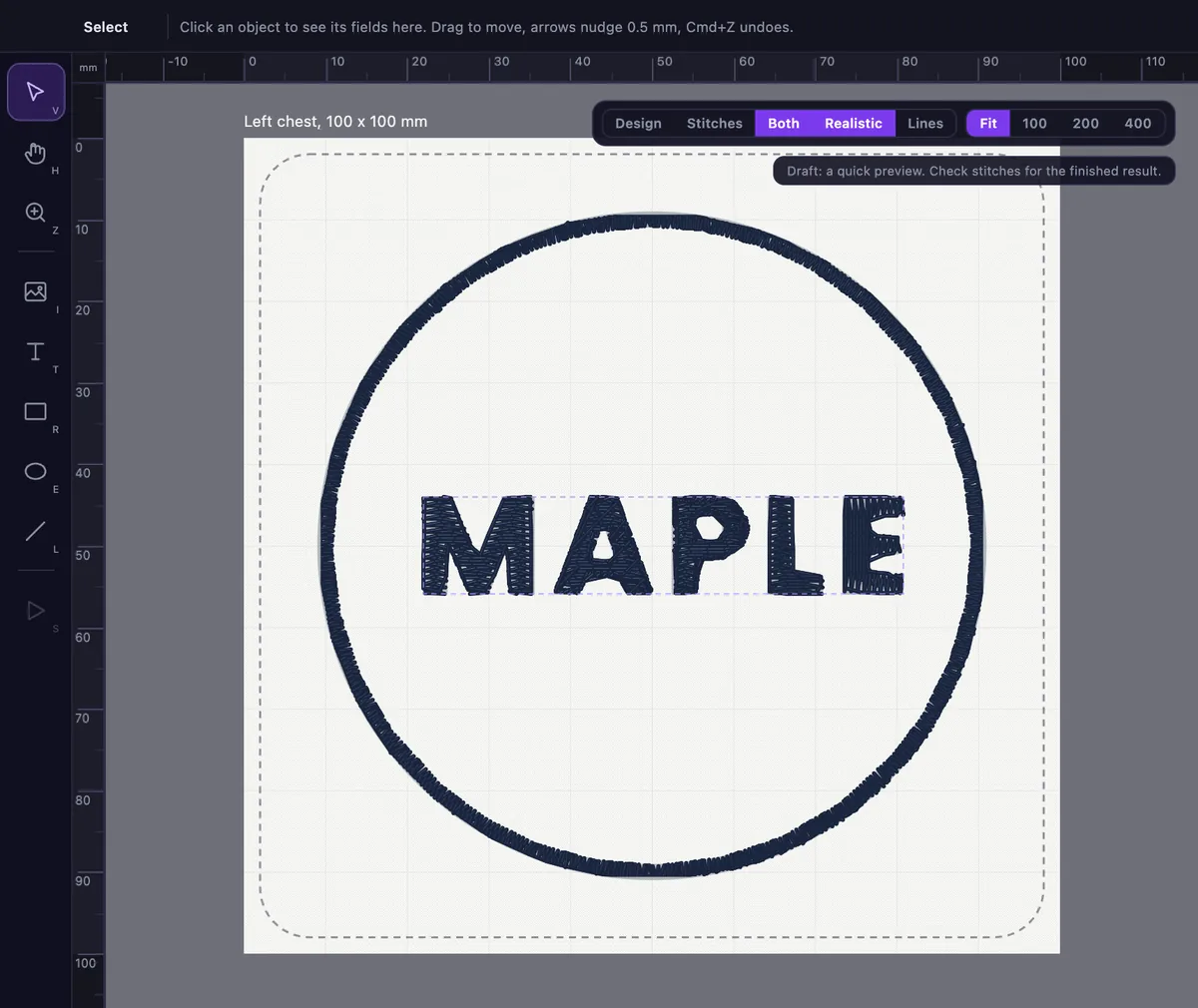
Place shapes, text and artwork on a board that matches your real hoop or garment size. Real stitches are drawn under your design, so you can see what the machine will sew before you export.

  • ✓ Shapes, text and artwork on a real-size board
  • ✓ Real stitches drawn under your design
  • ✓ A Check before you export machine files

Free to try. A free account shows the stitches.

The Embify studio showing a navy ring and the word MAPLE drawn as real stitches on a left chest board

3 steps to your first design

From image to embroidery file in minutes. No experience required.

1

Upload Your Logo

Drop in an SVG for the cleanest result, or trace a PNG/JPG to SVG first with the built-in tool, sized for your placement.

SVGPNG → SVGPlacement sizes
2

Prepare & Preview

Check the realistic stitch preview. Tweak any part by hand if you want to (recolour, resize or retype), pick your fabric, and let Embify tidy up the jumps and cuts.

Stitch previewPick fabricEdit any part
3

Export & Stitch

Choose your formats and download. Thread colours are matched and the sew order optimised. Load to USB and start embroidering.

PESDSTJEF+ more

Real artwork, real stitches

Six real conversions at left-chest logo size, exactly as the engine produced them. No mock-ups, no retouching. The stitch counts are the engine's own numbers.

mountain badge logo artwork → Embroidery sew-out preview of mountain badge logo produced by Embify
7,111 stitches · 2 colours · 90 mm wide
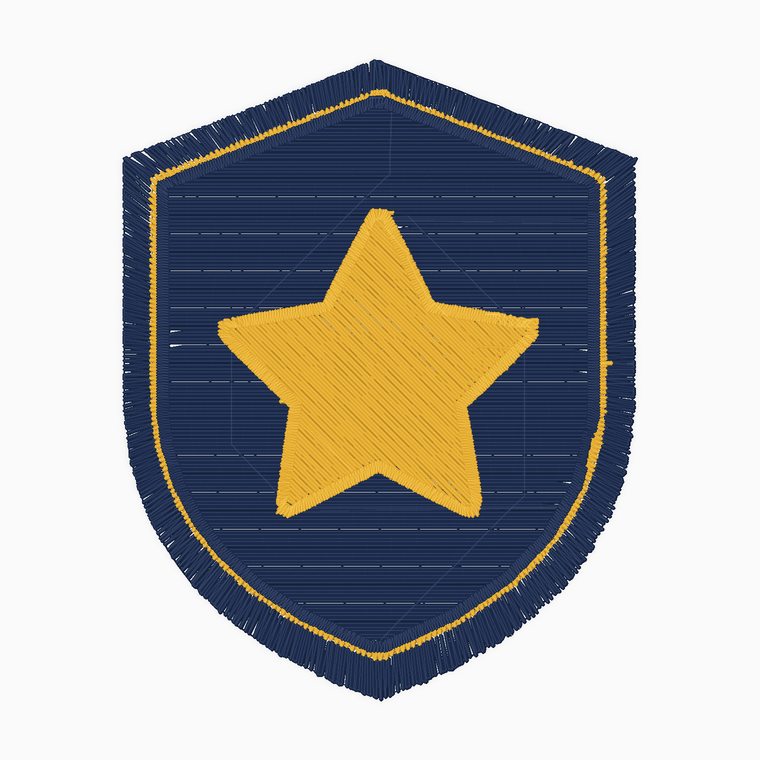
star shield crest logo artwork → Embroidery sew-out preview of star shield crest logo produced by Embify
7,360 stitches · 2 colours · 90 mm wide
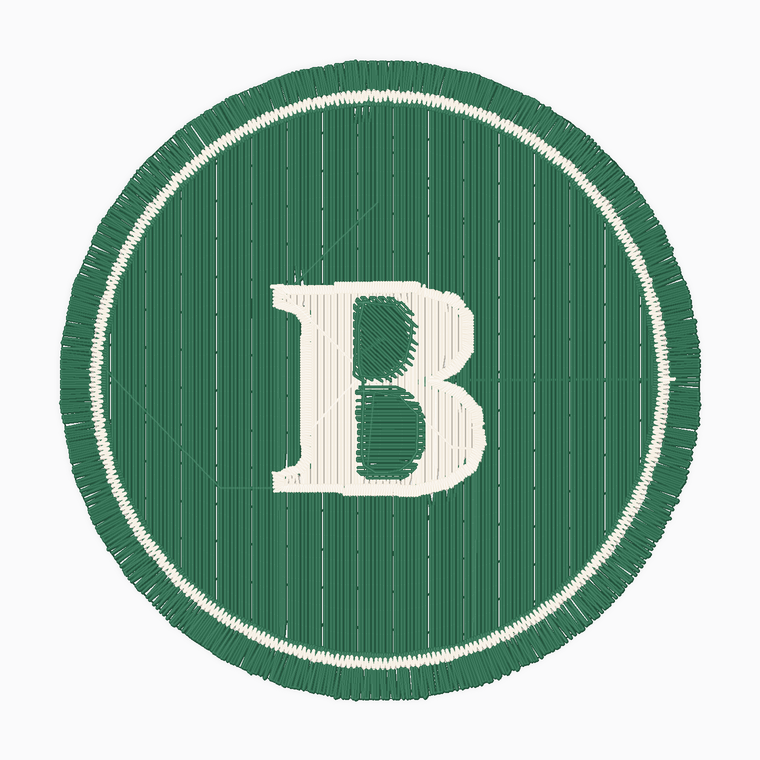
monogram roundel logo artwork → Embroidery sew-out preview of monogram roundel logo produced by Embify
7,320 stitches · 2 colours · 90 mm wide
mountain and sun roundel logo artwork → Embroidery sew-out preview of mountain and sun roundel logo produced by Embify
10,773 stitches · 4 colours · 90 mm wide
rocket patch logo artwork → Embroidery sew-out preview of rocket patch logo produced by Embify
11,002 stitches · 5 colours · 90 mm wide
leaf roundel logo artwork → Embroidery sew-out preview of leaf roundel logo produced by Embify
17,311 stitches · 3 colours · 90 mm wide

Try it with your own logo, free →

Where auto-digitizing works, and where it doesn't

Works well
  • ✓ Logos, badges and crests in flat, solid colours
  • ✓ Block-capital lettering from 4.5 mm tall, lowercase and serif from about 6 mm, script from about 8 mm
  • ✓ Left chest, cap, sleeve and back placements on polos, fleeces and workwear
Not the right tool
  • × Photographs, soft gradients and shading
  • × Extreme 3D puff
  • × Taglines and web addresses under 4.5 mm tall, which get flagged so you can enlarge or drop them before you pay

Embify tells you whether a design will sew cleanly at your chosen size before you download. As with any digitized file, sew one sample before a big run. Which artwork works best →

Simple, honest pricing

Preview free. Pay £5 for a single file, or subscribe if you convert regularly. An outside digitizer typically charges £15 to £40 per version. No hidden fees, cancel anytime.

Free Preview
£0
Prove the quality before you commit
  • ✓ Digitize any design, unlimited
  • ✓ Full realistic stitch preview
  • ✓ Full converter access
  • ✓ No card required
  • ✓ Download for £5 when you're happy
Start free
One-off
£5/file
Just need one file? No subscription
  • ✓ One machine-ready download
  • ✓ All export formats
  • ✓ Full converter access
  • ✓ Pay only when you download
  • ✓ Credits never expire
  • ✓ Resize or re-export it free for 30 days
Buy one file
Starter
£29/mo
For individuals & small projects
  • ✓ 10 conversions/month · £2.90 each
  • ✓ All export formats
  • ✓ Same logo resized or re-exported free for 30 days
  • ✓ Full converter access
  • × Priority support
Get started
Platinum
Platinum
£249/mo
High-volume shops
  • ✓ 100 conversions/month · £2.49 each
  • ✓ All export formats
  • ✓ Same logo resized or re-exported free for 30 days
  • ✓ Full converter access
  • ✓ Priority support
  • ✓ Dedicated account manager
Get Platinum
Enterprise
Enterprise
Custom
For high-volume teams
  • ✓ Unlimited conversions & users
  • ✓ Use across your whole team
  • ✓ Integration with your workflow, on request
  • ✓ Priority support & onboarding
  • ✓ Invoicing, SLA & account manager
Contact sales

Pay yearly and get two months free, with the whole year's downloads up front: Starter £290 a year (120 downloads), Pro £790 (360), Platinum £2,490 (1,200). Choose yearly →

🛡️ 14-day money-back guarantee on plans

Not happy with Embify? As long as you haven't downloaded any files, email us within 14 days of paying and we'll refund you in full. Once a file has been downloaded the finished product has been delivered, so that purchase isn't refundable.

🔌 Integrations on request Want Embify inside your own workflow or store? Tell us what you would connect it to and we'll look at an integration with you.
Talk to us about it

Common questions

Everything you need to know before you start.

What is Embify?

Embify is an online auto-digitizing tool that converts a logo or artwork (PNG, JPG or SVG) into a machine-ready embroidery file, DST, PES, JEF, EXP, XXX or VP3. You get a realistic 3D sew-out preview before downloading, with no embroidery software or manual digitizing skill needed.

How do I turn a logo into an embroidery file?

Upload your logo (PNG, JPG or SVG), set the finished size, check the sew-out preview, then download in your machine's format, DST, PES, JEF, EXP, XXX or VP3. Embify digitizes the artwork into stitches for you, so you don't need embroidery software or hand-digitizing skills. See the step-by-step guide.

Is Embify free to try?

Yes. You can upload your artwork, digitize it and inspect the full realistic 3D sew-out for free, with no credit card required, so you can see exactly how it will stitch before you decide. Downloading the machine file costs £5 as a one-off, or is included in a monthly plan.

What embroidery file formats can I export?

Embify exports PES, DST, JEF, EXP, XXX and VP3, covering Brother, Baby Lock, Janome, Tajima, Bernina, Melco, Pfaff, Husqvarna Viking, Singer and most other machines.

Do I need to install any software?

No. Embify runs entirely in your web browser. Upload a logo, preview the sew-out and download your file, with nothing to install.

Will my logo work for embroidery?

Bold, flat designs with a few solid colours work best. Photographs, heavy gradients and very fine detail are hard to reproduce in thread. Embify shows a sew-out preview so you can check before you download. See our artwork guide.

How much does Embify cost?

Digitizing and previewing your design is free. Downloading the machine file is £5 as a one-off with no subscription, or plans start at £29/month for 10 conversions if you convert regularly. Plans carry a 14-day money-back guarantee if you haven't downloaded any files.

What is the Embify studio?

The Embify studio is a design canvas in your browser. Place shapes, text and artwork on a board that matches your real hoop or garment size, see real stitches drawn under your design, then check and export machine files. It is free to try, and a free account shows the stitches. See what the studio does.

Can I edit my design before I download it?

Yes. In the studio you can move, resize and rotate anything, change the colour of shapes and text, and add text, shapes or more artwork. The stitches update as you edit, and a Check runs before you export. Downloading the machine file is paid, as a one-off or inside a plan.

See all FAQs →
Start creating today,
no card required

Join embroiderers and workwear shops who digitize their own designs.

Coming soon

Work on the move

Embify mobile is on the way. Soon you'll be able to upload a logo, preview the sew-out, and download your embroidery file straight from your phone or tablet, wherever the job is.

📱 iOS & Android 🔔 Launching soon